Good design makes digital products usable. Clear microcopy makes them comfortable to use. The difference lies in how well an interface communicates during moments of uncertainty. When users hesitate, small pieces of UX writing step in to explain, guide, and reassure. From form hints to button labels, these short lines of text reduce doubt and prevent confusion, moving the user further down the sales funnel for e-commerce websites.
Here’s how to use microcopy as a practical design tool rather than a decorative extra. Through clear examples and proven UX writing principles, you can explore how the right words at the right moment reduce doubt, build trust, and help people move forward with confidence.
Why Microcopy Matters in User Experience
Microcopy shapes how people feel when they interact with a product. It can calm uncertainty, prevent mistakes, and make digital spaces feel more human. When microcopy fails, users feel lost or blamed. When it works, and your website copy is well-written, the experience feels smooth and considerate.
How Words Shape Confidence and Decision-Making
Every digital interaction asks something of the user. Enter an email address. Share payment details. Commit to an action. Each request carries a moment of hesitation. Microcopy bridges that gap between intent and action.
Clear UX writing reduces the mental effort required to proceed. A short line explaining why a phone number is needed or what happens next removes the need for guesswork. When users understand the reason behind a request, they feel respected rather than pressured.
Consider a checkout form that asks for a postcode.
Before:
Postcode
After:
Postcode
Used to calculate delivery options and tax
The second version answers an unspoken question. It lowers suspicion and speeds up completion. This is UX copywriting doing quiet but meaningful work.
The Psychology Behind Reassuring Copy
Research into cognitive load shows that uncertainty increases mental strain. When people feel unsure, they slow down or disengage. Microcopy reduces that strain by offering clarity at key points.
Reassuring microcopy often shares three traits:
- It anticipates common concerns
- It explains without overloading
- It avoids judgement or blame
Tone of voice in UX plays a role here. Calm, neutral language keeps users focused. Friendly does not mean casual or jokey. It means respectful and clear. UX writing succeeds when it supports decision-making rather than drawing attention to itself.
Writing Clear and Helpful Form Microcopy
Forms remain one of the biggest drop-off points across websites and e-commerce platforms. Poorly written microcopy increases friction and abandonment rates, while quality microcopy removes these barriers and improves e-commerce conversion rates.
Field Hints That Prevent Errors
Field hints work best when they answer questions before mistakes happen. Good microcopy appears close to the input and disappears once its job is done.
Before:
Password
After:
Password
At least 12 characters, including one number
The second version sets expectations early. It saves time and avoids frustration. Users do not need to guess or retry.
UX copywriting in forms should favour plain language over technical rules. If a system requires a format, explain it simply.
Before:
Enter valid phone number
After:
Enter your phone number with country code, for example +44 7700 900000
Clear examples reduce trial and error. This approach aligns with best practices covered in our guide on how to write copy for a website, where clarity always comes before clever phrasing.
Instructional Text That Teaches Without Blame
Instructional microcopy should guide, not lecture. When users make mistakes, the copy should help them recover quickly.
Avoid language that implies fault.
Before:
You entered an invalid email
After:
That email address does not look correct. Please check the format.
The second option shifts the tone from accusation to assistance. This small change improves emotional response and keeps users engaged.
Effective UX writing treats errors as part of normal use. It recognises that people skim, mistype, and get distracted. Microcopy should meet users where they are.
Designing Effective Error Messages
Error messages often appear at the most frustrating moments. They interrupt progress. Good microcopy turns interruption into guidance.
Language That Guides Users to Fix Issues
An error message should do three things:
- Explain what went wrong
- Explain why it happened if useful
- Tell the user what to do next
Before:
Submission failed
After:
We could not submit your form because one or more fields need attention. Please check the highlighted areas and try again.
This version replaces confusion with direction. It respects the user’s time.
UX copywriting in error states should avoid internal system language. Users do not care about server errors or validation codes. They care about completing their task.
Examples: From Technical Frustration to Friendly Help
Here is another example drawn from login screens.
Before:
Authentication error 403
After:
Your email or password does not match our records. Try again or reset your password.
The second version speaks human language. It offers options instead of dead ends. This is a core principle behind high-performing interfaces discussed in our quick tips to improve website conversions.
Microcopy here supports trust. It shows the system works with the user, not against them.
Crafting Calls to Action That Clarify Value
Buttons and CTAs carry enormous weight in decision-making. Generic labels create hesitation. Specific microcopy builds confidence.
From Generic to Motivational CTAs
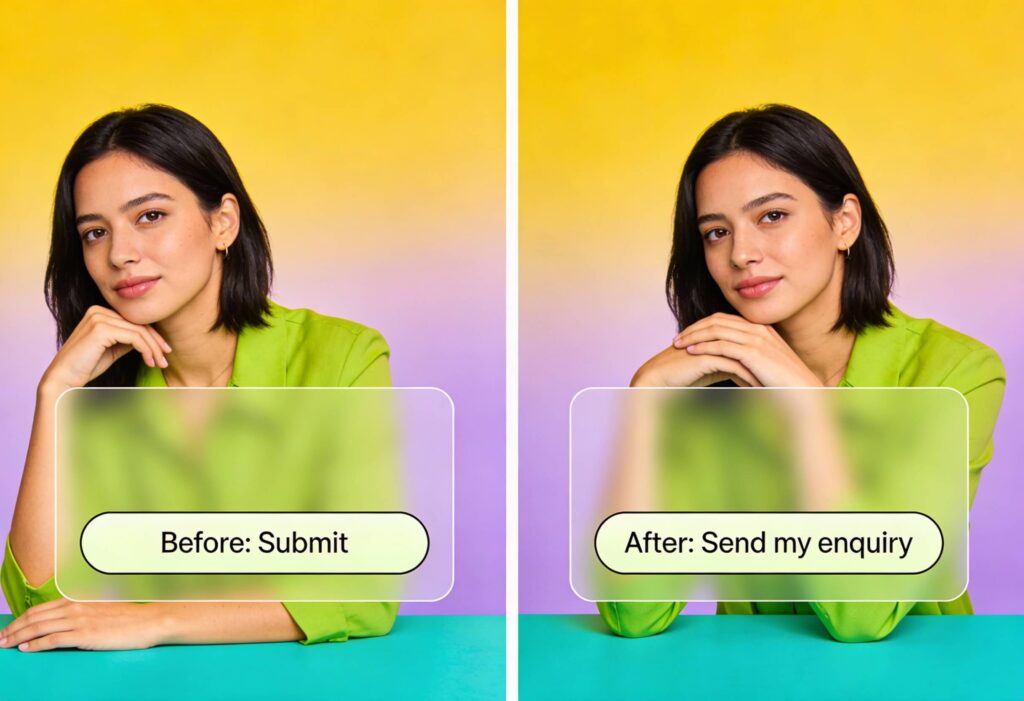
A CTA should answer the question, what happens when I click this?
Before:
Submit
After:
Send my enquiry
Before:
Sign up
After:
Create my account
Clear CTAs reduce anxiety by making outcomes explicit. They also improve accessibility by matching language to intent.
UX writing in CTAs benefits from verbs that reflect value rather than process. This approach supports conversion goals explored in our guide on increasing conversion rates with optimised landing pages.
Choosing Verbs That Communicate Outcome
Action words should reflect the user’s goal, not the system’s function.
Compare these options:
Download PDF
Get the full pricing guide
The second option focuses on benefit rather than file type. It tells users why the action matters.
Microcopy at this stage should remain honest. Avoid overstating outcomes. Trust grows when expectations match reality.
Setting Tone and Voice Across Components
Microcopy does not exist in isolation. It must align with the broader tone of voice in UX across the product.
Maintaining Consistency and Empathy
Consistency builds familiarity. When error messages sound formal but buttons sound casual, users notice the disconnect.
Create simple guidelines for UX writing that cover:
- Sentence length
- Level of formality
- Use of contractions
- Vocabulary choices
These guidelines ensure microcopy feels cohesive across pages, forms, and flows.
Empathy matters here. Writing for moments of stress requires a calmer tone than writing for onboarding or success states. Good UX copywriting adapts without losing identity.
Adapting Microcopy for Brand and Context
Different contexts demand different approaches. A financial platform needs reassurance and clarity. An e-commerce site may lean into encouragement and momentum.
For example, on a retail checkout page:
Before:
Proceed
After:
Continue to secure payment
This small change acknowledges a common concern. It reassures without making promises it cannot keep.
Microcopy also plays a role in SEO and landing page performance. Clear language improves comprehension, which can reduce bounce rates and improve engagement. This aligns with our work in SEO strategy and optimisation, and building effective e-commerce websites.
Writing Words That Move Users Forward
Microcopy sits at the intersection of design, psychology, and communication. It guides users through moments of doubt and helps them feel confident enough to act. When treated as a functional part of UX writing, microcopy improves usability, reduces friction, and supports conversion without shouting for attention.
The best microcopy feels natural. It respects the user’s time. It explains what matters and stays quiet when it does not. It turns uncertainty into clarity through thoughtful UX copywriting and a brand-focused, consistent tone of voice.
If you are planning a new website, refining an existing product, or struggling with drop-off at key interaction points, the words on the page may be doing more harm than you realise.
If you want expert support applying UX writing and microcopy principles to your website design or e-commerce project, we would love to help. Get the ball rolling by discussing your goals with our team and see how thoughtful UX copywriting can improve clarity, confidence, and results.